How do I order a tax statement?
How do I order a tax statement on the TradeDirect web platform?
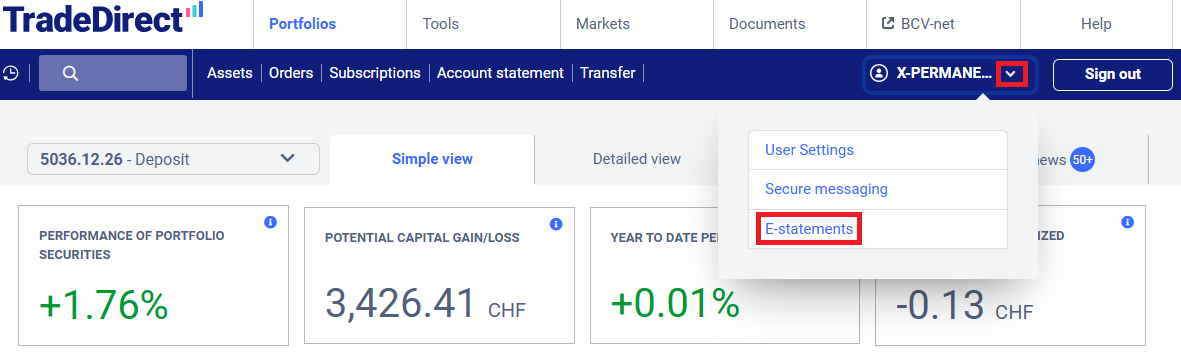
Log in to the platform and click on the arrow at the top right, then click on “E-statements” in the dropdown menu.
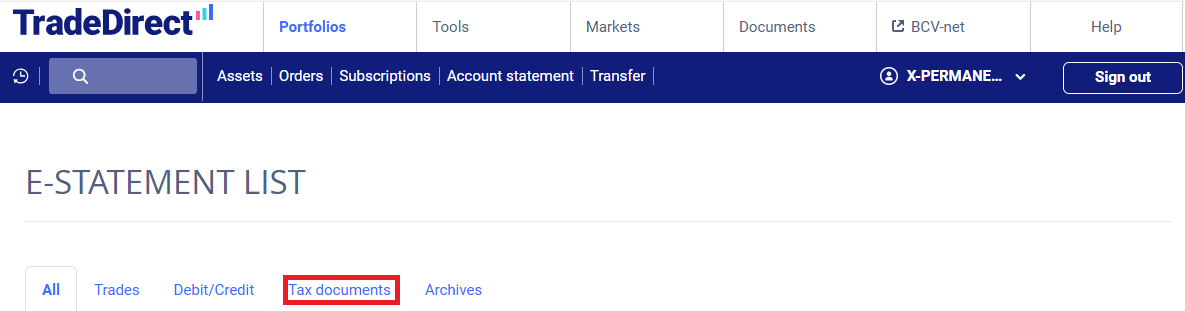
Next, click on the “Tax documents” tab.
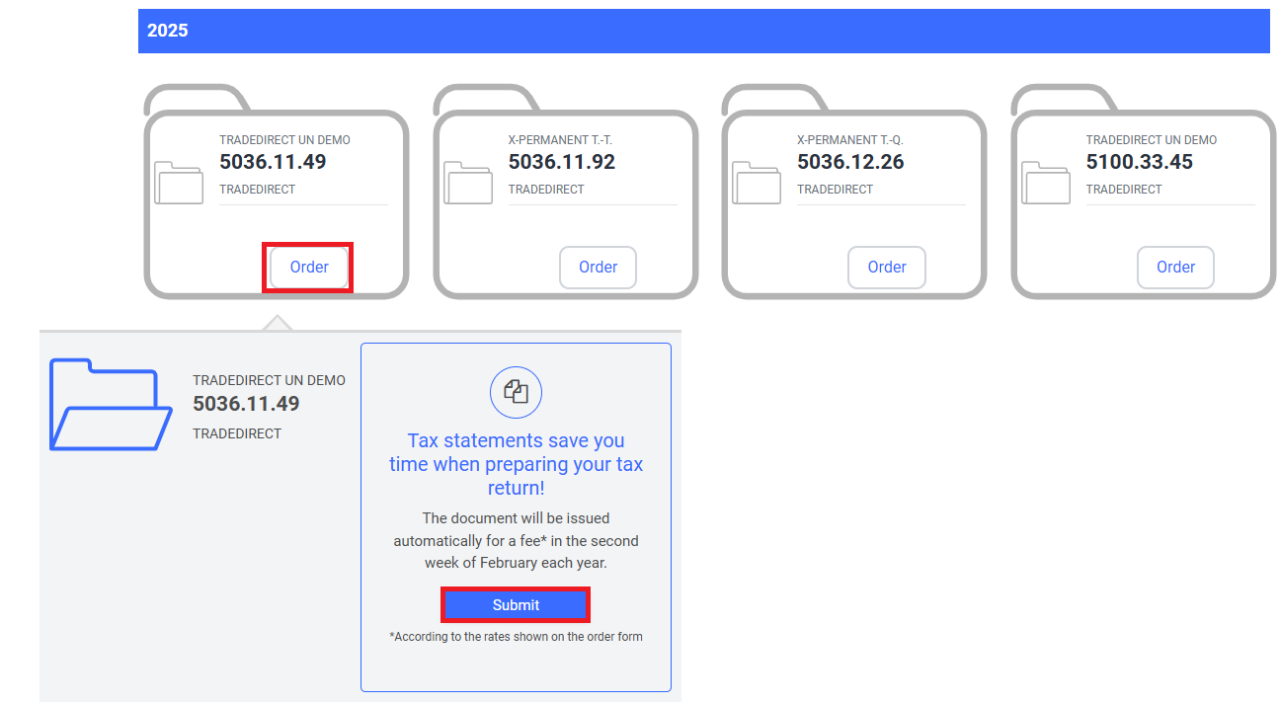
Click on the “Order” button under the securitiesaccount in question to access the order form and view the fee.
If you need this tax statement but did not request to receive it automatically every year, please place your order by 6 February 2026. After that date, CHF 100 will be added to the order fee.
How do I order a tax statement in the TradeDirect app?
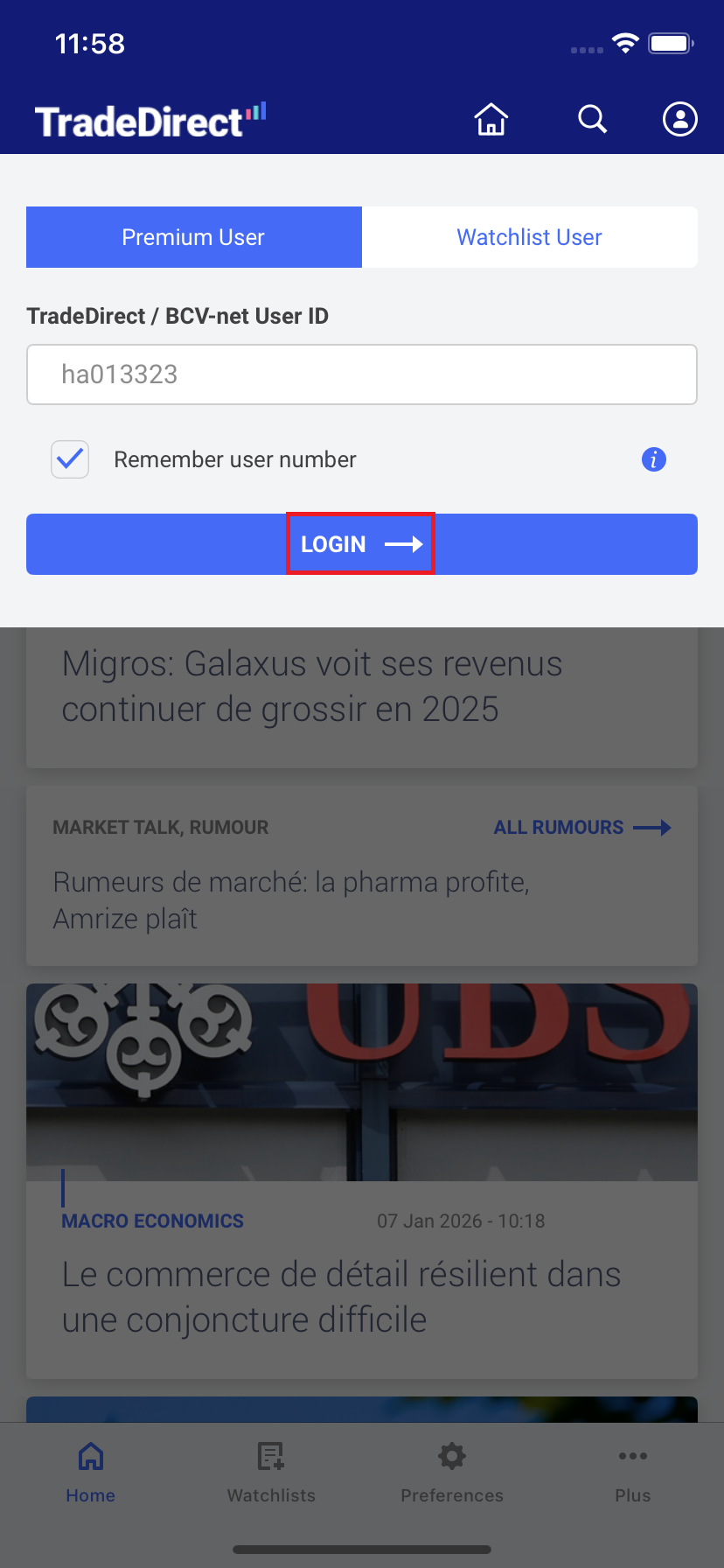
Log in to the TradeDirect app.
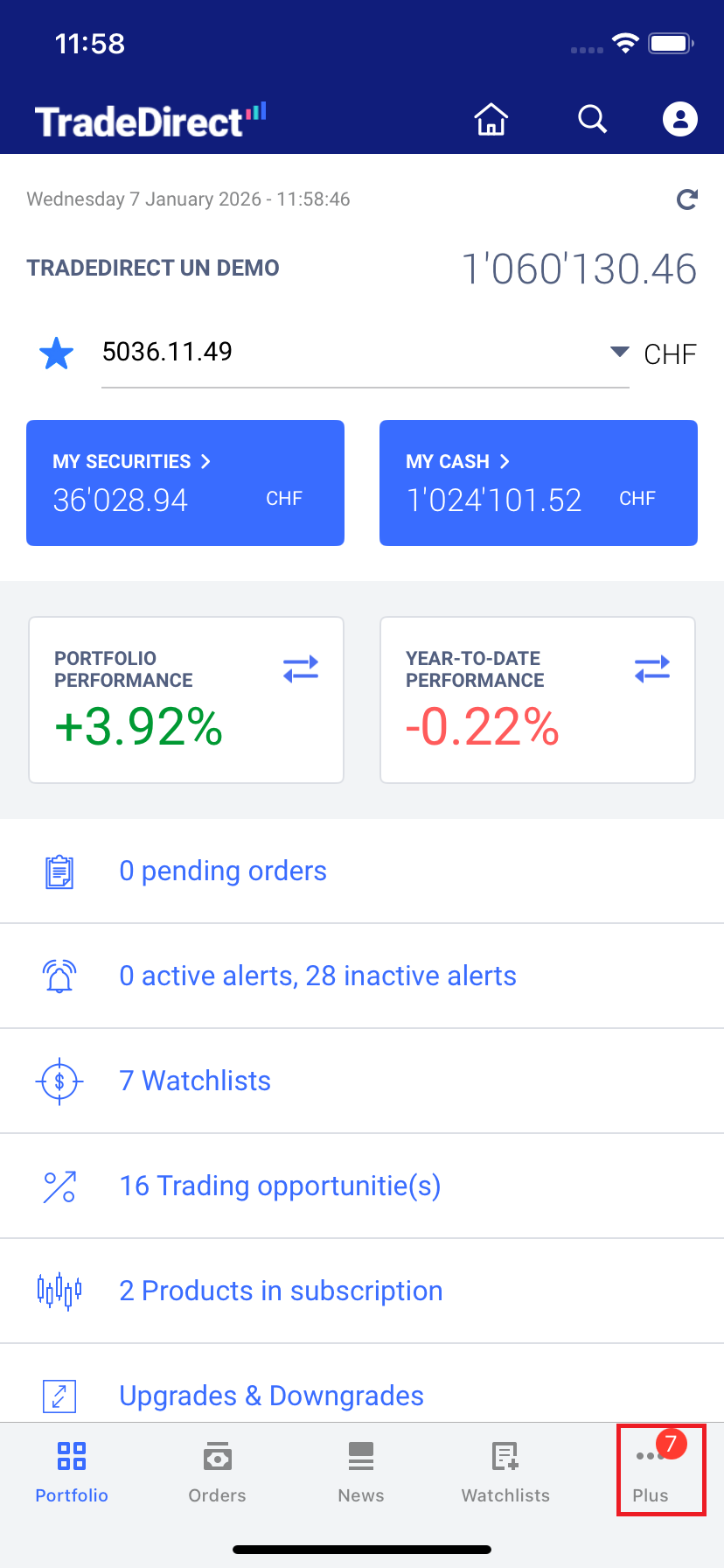
Tap the “More” icon on the bottom right (three dots).
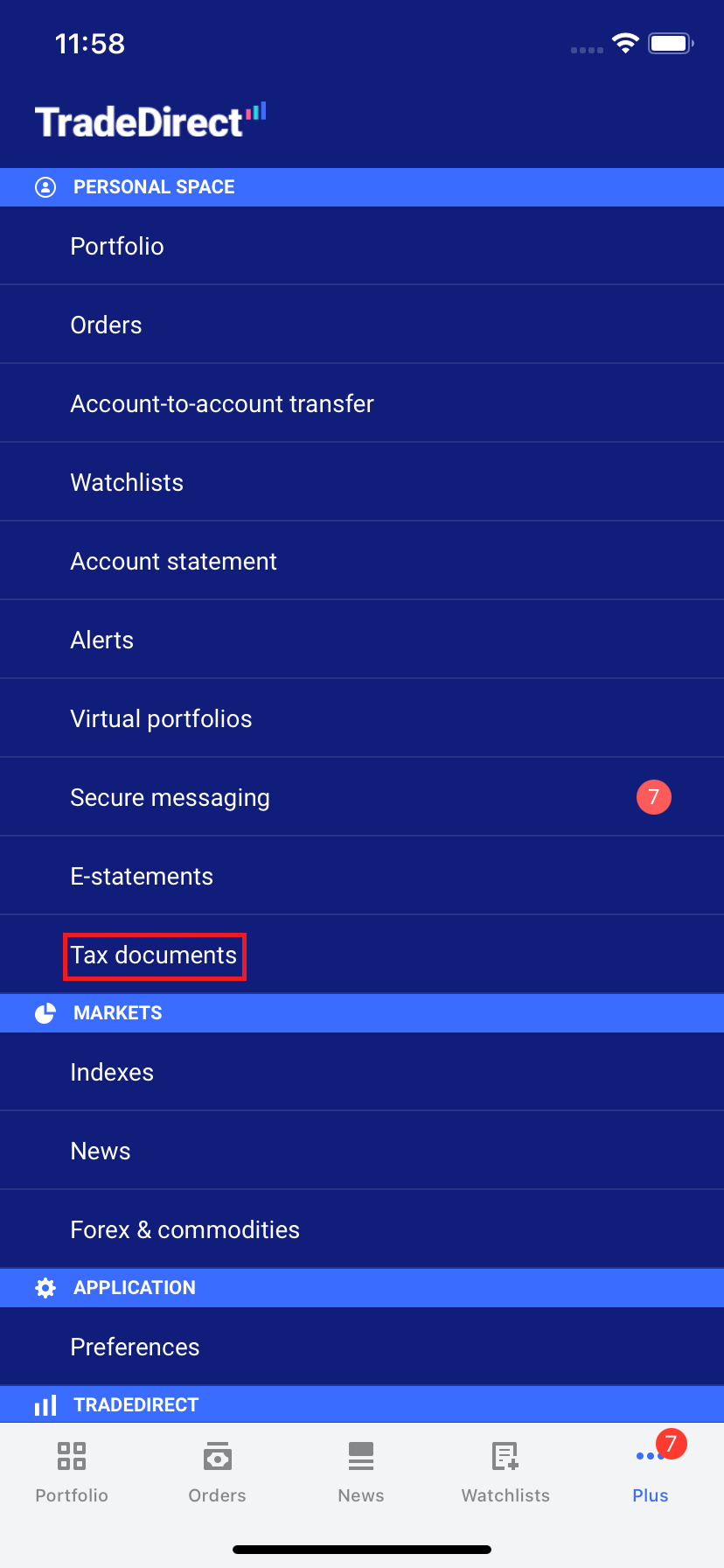
Select “Tax documents.”
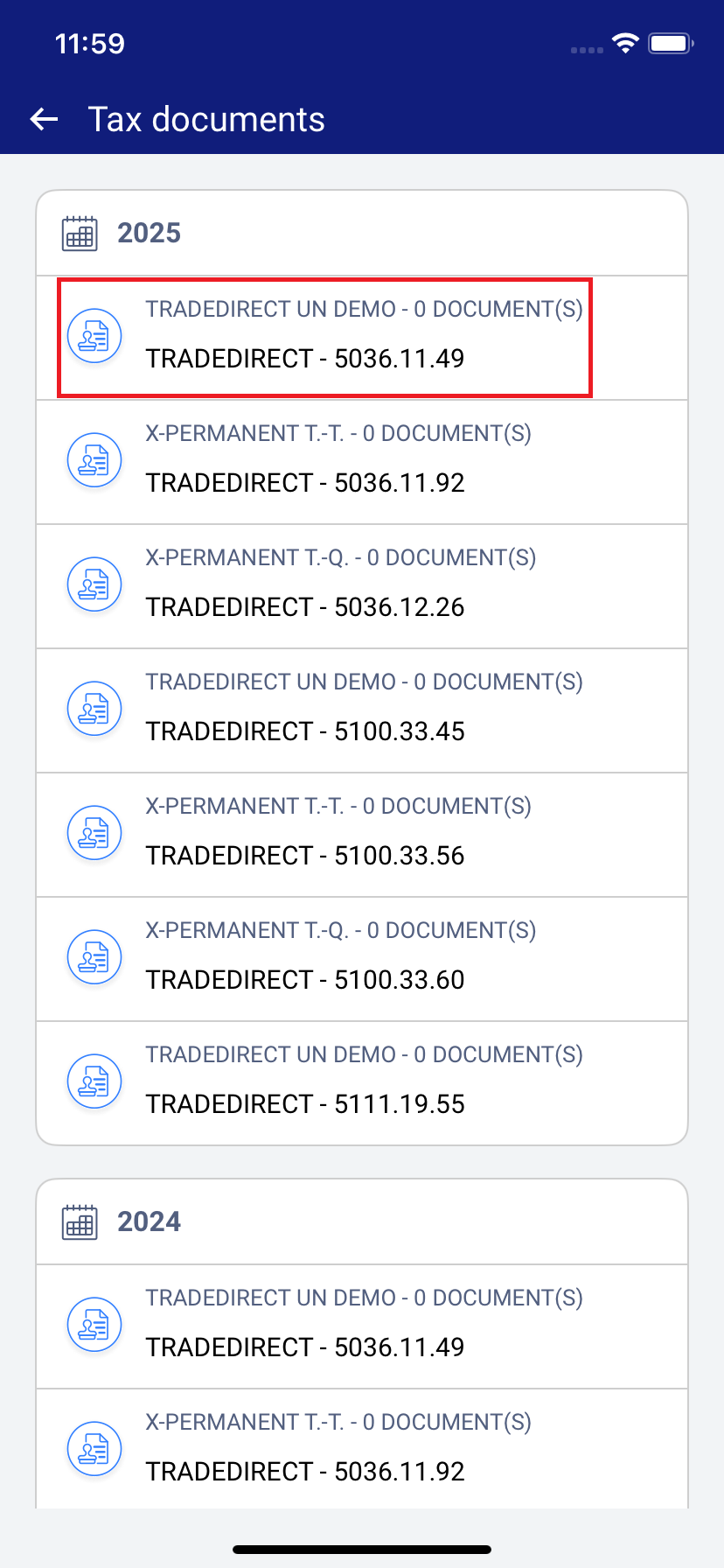
Tap the securities account number to access the order form and view the fee.
If you need this tax statement but did not request to receive it automatically every year, please place your order by 6 February 2026. After that date, CHF 100 will be added to the order fee.
Need more information?
Phone

Our Customer Service Center is open Monday through Friday, 7:30am to 10pm, with some exceptions*
*e.g., days on which the markets are closed or have modified trading hours
Our Customer Service Center is open Monday through Friday, 7:30am to 10pm, with some exceptions*
*e.g., days on which the markets are closed or have modified trading hours

This service is for general questions only. We won’t be able to answer any specific questions concerning your accounts or stock exchange orders.
This service is for general questions only. We won’t be able to answer any specific questions concerning your accounts or stock exchange orders.
Secure message

For questions about your accounts and order status
For questions about your accounts. Note that we do not execute orders based on a secure message.

